
Orion BMS Can Bus Adaptor
Terms and Conditions
Orders Dispatched Within 24 hours - Excluding Weekends and Bank Holidays.


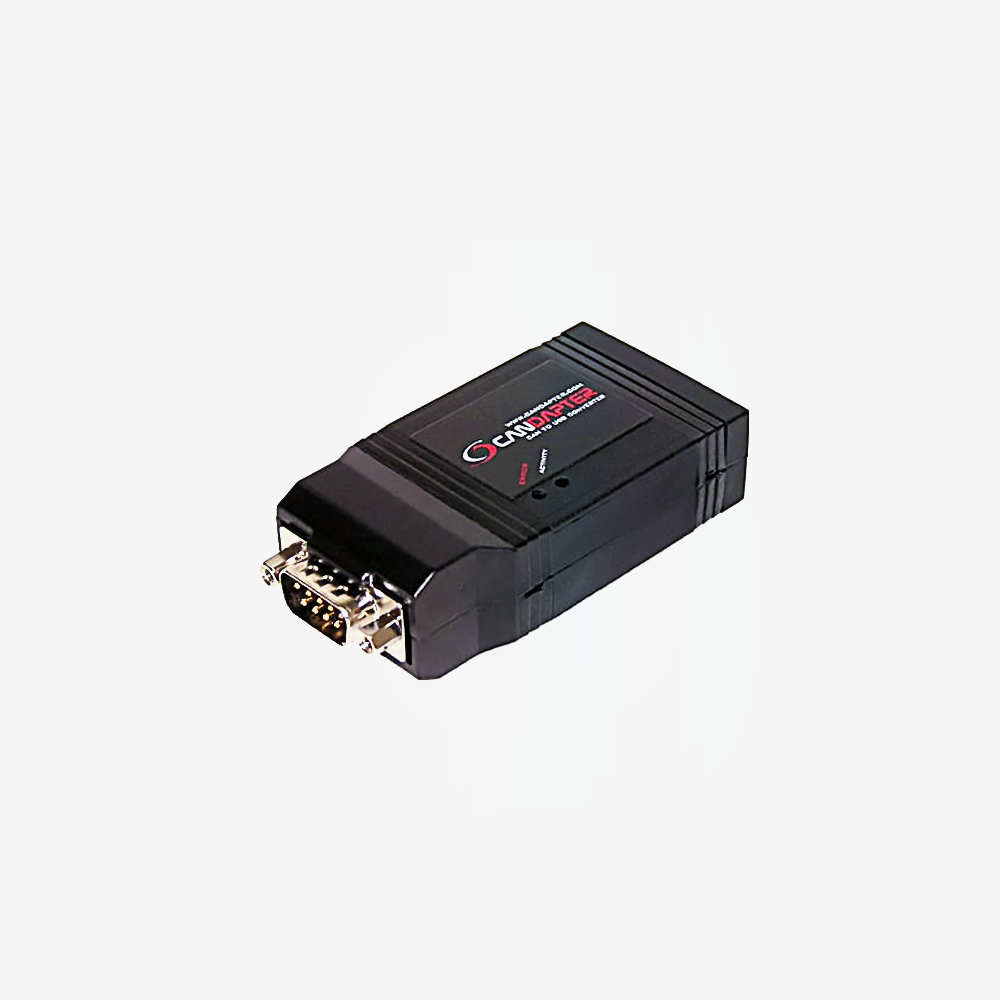
The USB to CAN adaptor used to set up and diagnose an Orion BMS from a laptop. Every Orion installation needs one at some point, because the BMS ships with a default profile and your pack is not the default.
An Orion BMS has to be told what it is managing: cell chemistry, capacity, voltage limits, current limits, temperature cut offs, the CAN messages it should broadcast and the ones it should listen for. That configuration is done from a PC with Orion's own software, and this adaptor is the link between the two. It presents itself as a virtual serial port, so the software sees it without ceremony, and the activity and error LEDs tell you whether the BMS is actually talking before you start hunting for a wiring fault. It is also how you read live cell data and stored fault codes when something needs diagnosing later.
Key specifications
| Manufacturer part | CANdapter, by Ewert Energy Systems |
|---|---|
| Type | CAN bus to USB adaptor |
| Purpose | Programming and diagnostics for Orion BMS units |
| Maximum baud rate | 1 Mbps |
| Supported CAN rates | 125, 250, 500 and 1000 kbps |
| Identifiers | Standard and extended |
| PC interface | USB, presented as a virtual serial port |
| Indication | Activity and error status LEDs |
| Weight | 0.10 kg |
Features
- Sets up the BMS for your actual pack, which is the step between a BMS arriving and a BMS protecting anything
- Reads live cell data and stored fault codes, so a fault can be diagnosed rather than guessed at
- Creates a virtual serial port, so Orion's software finds it without driver wrangling
- Activity and error LEDs show whether the BMS is talking before you start suspecting the wiring
- Runs at up to 1 Mbps and handles extended identifiers, so it is usable on buses beyond the BMS itself
- One adaptor programs any number of Orion units, so a workshop needs one, not one per build
Compatibility
Works with the Orion BMS 2, the Orion Junior 2 and the original Orion 1 and Junior units.
Worth knowing before you order: this is a tool, not a component. It is needed for the initial programming and for later diagnostics, and it does not stay in the vehicle. Orion BMS units ship configured for 500 kbps, which is where to start if the software will not connect.
If you are commissioning one pack and will not touch it again, one adaptor is still worth having, because the first thing anyone asks when a BMS misbehaves is what the fault codes say.
In the box
- 1 x CANdapter
- 1 x USB cable
The Orion configuration software is a free download from Orion, so there is nothing to license or activate.
Downloads
Ewert Energy publish the CANdapter manual and a setup page for the Orion 2 utility.
Our own Orion guides cover the wider system, and the interactive builder works out which BMS and harnesses a pack needs: